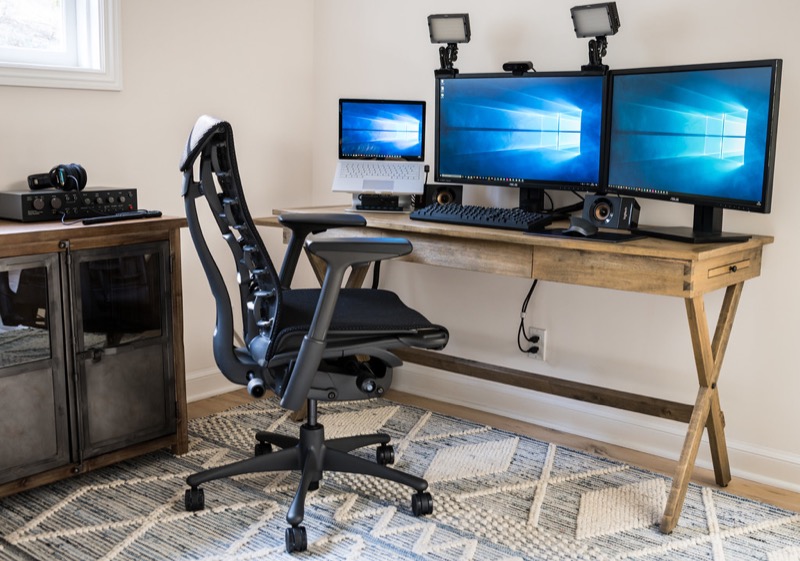
A mechanical keyboard is the rare upgrade you’ll feel every single hour of your workday. If you write code, documents, or emails for a living, your keyboard is the highest-touch tool you own — and the jump from a mushy membrane board to a proper mechanical one is immediately noticeable: cleaner feedback, less finger fatigue, and a board that lasts a decade instead of two years.
The catch is that the market is enormous, and “best” depends on what you do all day. Enthusiast boards optimize for typing feel and customization. Office boards optimize for quiet and multi-device switching. Gaming boards optimize for response time. For this guide we tested across switch feel, build quality, connectivity, programmability, noise level, and value, with a bias toward boards that developers and writers will love.
These are the top picks for 2026:
- Best overall: Keychron Q1 Pro
- Best value wireless: Keychron K8 Pro
- Best low-profile: NuPhy Air75 V2
- Best for the office: Logitech MX Mechanical
- Best for gaming: Razer BlackWidow V4 Pro 75%
Quick Comparison Table
| Product | Best For | Price | Layout | Switches | Hot-Swap | Connectivity | Noise |
|---|---|---|---|---|---|---|---|
| Keychron Q1 Pro | Best Overall | $199 | 75% | Keychron K Pro (linear/tactile) | Yes | BT 5.1 / USB-C | Moderate, deep |
| Keychron K8 Pro | Best Value Wireless | $95 | TKL | Gateron G Pro | Yes | BT 5.1 / USB-C | Moderate |
| NuPhy Air75 V2 | Best Low-Profile | $119 | 75% low-profile | Gateron low-profile 2.0 | Yes | BT 5.1 / 2.4GHz / USB-C | Quiet-moderate |
| Logitech MX Mechanical | Best for Office | $169 | Full-size low-profile | Kailh Choc V2 (tactile quiet) | No | Bolt 2.4GHz / BT | Quiet |
| Razer BlackWidow V4 Pro 75% | Best for Gaming | $229 | 75% | Razer Orange/Yellow | Yes | 2.4GHz / BT / USB-C | Moderate |
Our Top Picks at a Glance
If you want the shortest answer possible:
- Buy the Keychron Q1 Pro if you want the best typing experience per dollar and plan to keep this board for years.
- Buy the Keychron K8 Pro if you want 90% of the experience for half the price.
- Buy the NuPhy Air75 V2 if you’re coming from a laptop keyboard or travel with your board.
- Buy the Logitech MX Mechanical if you work in a shared office and juggle three devices.
- Buy the BlackWidow V4 Pro 75% if gaming response time matters as much as typing feel.
Keychron Q1 Pro
Editor’s Choice — $199
The Q1 Pro is the keyboard that made custom-grade quality mainstream. You get a CNC-machined aluminum case, a gasket-mounted plate that gives every keystroke a soft, cushioned landing, factory-lubed switches, and sound dampening foam — the kind of spec list that required a group buy and a soldering iron five years ago, shipped as a finished product.
For developers, the killer feature is full QMK/VIA support: every key, layer, and macro is remappable in an open-source web interface, and the configuration lives on the keyboard itself, not in a companion app. Map Caps Lock to Escape-on-tap/Ctrl-on-hold once, and it works on every machine you plug into.
Typing feel is the best in this roundup — deep, slightly thocky, and remarkably consistent across the board. Bluetooth handles three devices; battery life runs around 100 hours with the backlight off. It’s heavy (1.6 kg), which is a feature on a desk and a bug in a backpack.
Specs Snapshot
| Spec | Keychron Q1 Pro |
|---|---|
| Price | $199 |
| Layout | 75% (84 keys) |
| Case | CNC aluminum, gasket mount |
| Switches | Keychron K Pro, hot-swappable (5-pin) |
| Programmability | QMK/VIA, full remap + layers |
| Connectivity | Bluetooth 5.1 (3 devices), USB-C wired |
| Battery | 4,000 mAh, ~100 hours (RGB off) |
| Best For | Typists, programmers, enthusiasts |
Pros
- Custom-keyboard typing feel out of the box
- Full QMK/VIA programmability — config lives on the board
- Hot-swappable switches, easy to mod later
- Solid aluminum build that will outlast several laptops
- Three-device Bluetooth plus wired mode
Cons
- 1.6 kg — this board does not travel
- No 2.4GHz dongle; Bluetooth-only wireless adds slight latency
- $199 is real money, even if the value is strong
Verdict
If you type for a living and want one keyboard that ends the upgrade itch, the Q1 Pro is the best mechanical keyboard of 2026. It’s the most keyboard most people will ever need.
Keychron K8 Pro
Best Value Wireless — $95
The K8 Pro is the answer to “I want a real mechanical keyboard but $200 is silly.” It takes the most important parts of the enthusiast formula — hot-swappable sockets, QMK/VIA programmability, double-shot PBT keycaps, Bluetooth for three devices — and puts them in a sturdy plastic-with-aluminum-frame tenkeyless body for under $100.
The typing experience is genuinely good: Gateron G Pro switches come pre-lubed, and the TKL layout keeps your arrow keys and function row while staying compact enough for most desks. The sound is a bit more hollow than the gasket-mounted Q1 Pro — adding a cheap foam mod fixes most of that, and the hot-swap sockets mean you can experiment freely.
This is the board to recommend to a colleague who’s curious about mechanical keyboards but not ready to fall down the rabbit hole.
Specs Snapshot
| Spec | Keychron K8 Pro |
|---|---|
| Price | $95 |
| Layout | Tenkeyless (87 keys) |
| Case | ABS plastic + aluminum frame |
| Switches | Gateron G Pro, hot-swappable |
| Programmability | QMK/VIA |
| Connectivity | Bluetooth 5.1 (3 devices), USB-C wired |
| Battery | 4,000 mAh |
| Best For | First mechanical keyboard, budget setups |
Pros
- Outstanding feature set for under $100
- Hot-swap + QMK/VIA at a budget price
- Comfortable TKL layout with full function row
- Mac/Windows keycaps included in the box
Cons
- Sound and feel a clear step below gasket-mounted boards
- Stock stabilizers slightly rattly on the spacebar
- Bluetooth-only wireless
Verdict
The K8 Pro is the best first mechanical keyboard you can buy — and thanks to hot-swap sockets, it can grow with you instead of being replaced.
NuPhy Air75 V2
Best Low-Profile — $119
If you’ve spent years on laptop keyboards, full-height mechanical boards can feel like typing on a staircase. The Air75 V2 solves that: low-profile Gateron 2.0 switches with real mechanical feedback in a board barely thicker than a MacBook’s lid. The transition takes about an hour, not a week.
It’s also the best travel mechanical keyboard we’ve tested — 39 mm thin, under 600 g, with 2.4GHz wireless, Bluetooth for three devices, and USB-C. Battery life is excellent, the gasket structure keeps the sound surprisingly refined for a low-profile board, and QMK/VIA support survives the slim form factor.
For a hybrid desk/laptop/travel lifestyle, nothing else in this roundup is as versatile.
Specs Snapshot
| Spec | NuPhy Air75 V2 |
|---|---|
| Price | $119 |
| Layout | 75% low-profile |
| Case | Aluminum top, 39 mm thin, ~590 g |
| Switches | Gateron low-profile 2.0, hot-swappable |
| Programmability | QMK/VIA |
| Connectivity | 2.4GHz dongle, Bluetooth 5.1, USB-C |
| Battery | ~220 hours (backlight off) |
| Best For | Laptop switchers, travel, low-profile fans |
Pros
- Best laptop-to-mechanical transition board
- Genuinely portable — fits in a laptop sleeve
- All three connection modes including low-latency 2.4GHz
- Hot-swap and QMK/VIA despite the slim body
Cons
- Low-profile keycap options are still limited
- Less deep, “thocky” sound than full-height boards
- Flat typing angle isn’t for everyone
Verdict
The Air75 V2 is the best low-profile mechanical keyboard of 2026 — and the only board here you’ll actually take with you.
Logitech MX Mechanical
Best for the Office — $169
The MX Mechanical is what happens when mechanical keyboards grow up and get a job. Quiet tactile switches give you real feedback without the clack that makes open-office neighbors hate you. Logi Bolt wireless is rock-solid and IT-department-friendly, Easy-Switch buttons flip between three devices instantly, and it pairs seamlessly with an MX Master mouse via Logitech Flow.
You give up the enthusiast features — no hot-swap, no QMK (Logitech’s Options+ app handles remapping instead) — and gain polish: smart backlighting that activates as your hands approach, five-month battery life with the light off, and a low-profile full-size layout that keeps the numpad accountants insist on.
It’s not the board for switch tinkerers. It’s the board for getting through a 300-email day in comfort and silence.
Specs Snapshot
| Spec | Logitech MX Mechanical |
|---|---|
| Price | $169 |
| Layout | Full-size low-profile (mini version available) |
| Switches | Kailh Choc V2 tactile quiet (fixed) |
| Programmability | Logi Options+ app |
| Connectivity | Logi Bolt 2.4GHz, Bluetooth (3 devices) |
| Battery | Up to 10 months (backlight off) |
| Best For | Offices, multi-device workflows, quiet typing |
Pros
- Quietest real-mechanical typing in this guide
- Best multi-device experience (Easy-Switch + Flow)
- Smart backlight and exceptional battery life
- Full-size layout with numpad; Mini available too
Cons
- No hot-swap, no QMK/VIA
- Remapping requires the Options+ app on each computer
- Typing feel is good, not great, next to the Q1 Pro
Verdict
For shared offices and multi-device professionals, the MX Mechanical is the most practical mechanical keyboard you can buy — quiet, reliable, and zero-fuss.
Razer BlackWidow V4 Pro 75%
Best for Gaming — $229
Razer’s enthusiast-format gaming board is the rare keyboard that’s serious about both halves of “work hard, play hard.” The 75% layout, hot-swappable sockets, gasket mount, and tape-plus-foam dampened case read like a custom keyboard spec sheet — then the gaming side adds an 8,000 Hz polling rate, low-latency HyperSpeed wireless, and Razer’s tournament-grade switch options.
Typing feel is legitimately good — close behind the Q1 Pro and ahead of every “gaming keyboard” from five years ago. Synapse is still required for the deepest configuration (a perennial Razer complaint), but onboard memory stores your profiles once configured.
If your evenings split between a terminal and a competitive lobby, this is the one board that doesn’t compromise either.
Specs Snapshot
| Spec | Razer BlackWidow V4 Pro 75% |
|---|---|
| Price | $229 |
| Layout | 75% |
| Switches | Razer Orange (tactile) / Yellow (linear), hot-swappable |
| Polling Rate | Up to 8,000 Hz |
| Connectivity | HyperSpeed 2.4GHz, Bluetooth, USB-C |
| Extras | Per-key RGB, media roller, magnetic wrist rest |
| Best For | Gaming-first setups that also type a lot |
Pros
- Genuine enthusiast typing feel plus esports-grade response
- Hot-swappable with broad switch compatibility
- Excellent low-latency wireless
- Media roller and included wrist rest
Cons
- Most expensive board in this guide
- Synapse software remains heavy
- RGB-forward aesthetic isn’t office-subtle
Verdict
The BlackWidow V4 Pro 75% is the best gaming mechanical keyboard of 2026 for people who refuse to keep separate work and play keyboards.
How We Picked
We evaluated boards on the factors that matter over years of ownership, not minutes of unboxing:
- Typing feel and sound — switch quality, case acoustics, stabilizer tuning
- Build quality — materials, deck flex, keycap durability (PBT preferred)
- Programmability — QMK/VIA open firmware scored highest; good vendor apps accepted
- Connectivity — multi-device wireless, latency, wired fallback
- Long-term value — hot-swap sockets and standard parts that let a board evolve
Prices reflect typical street pricing in June 2026 and fluctuate — check the current price before buying.
Which One Should You Buy?
- You type/code 6+ hours a day: Keychron Q1 Pro
- You want in for under $100: Keychron K8 Pro
- You love laptop keyboards or travel often: NuPhy Air75 V2
- You share an office and juggle devices: Logitech MX Mechanical
- You game competitively after work: Razer BlackWidow V4 Pro 75%
Want help picking based on your exact setup? Try our Product Finder, or browse more buying guides.
Hero photo by morrisonbrett via Flickr, CC BY 2.0.